Persistent sessions
A lightweight server helper holds your shell open. Reconnect and pick up right where you left off.

Termphin keeps your shell alive on the server through locked screens and network drops.
Free and open source.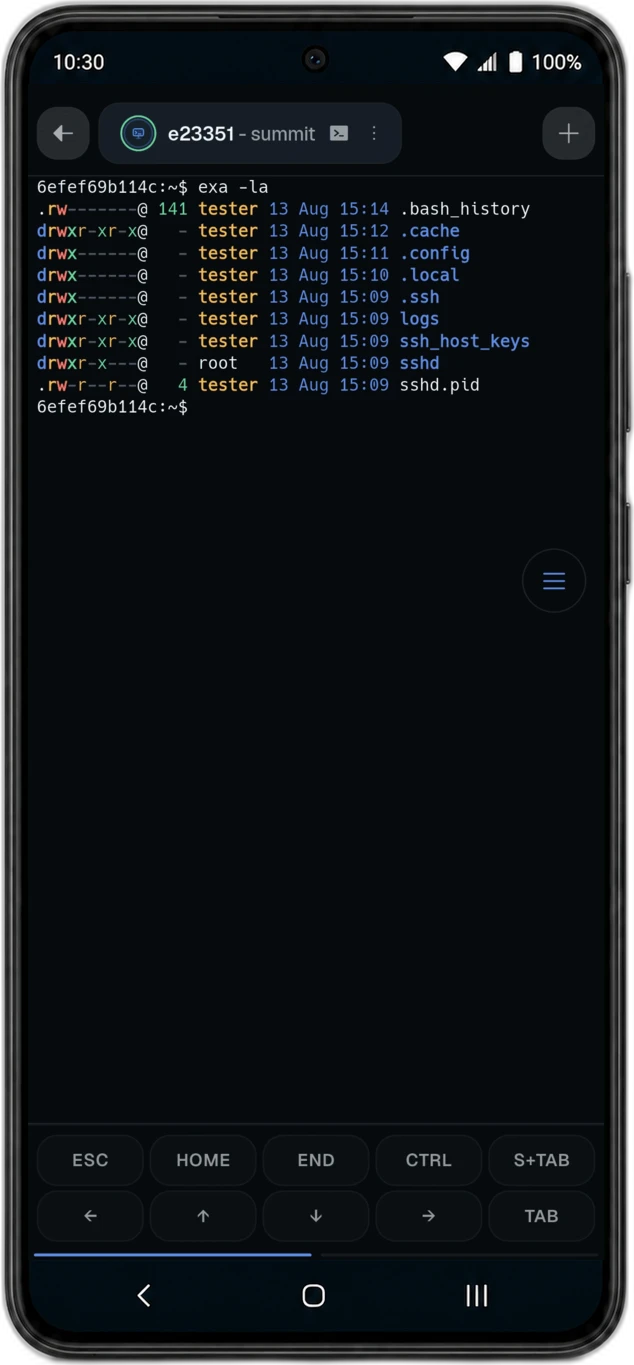

A lightweight server helper holds your shell open. Reconnect and pick up right where you left off.
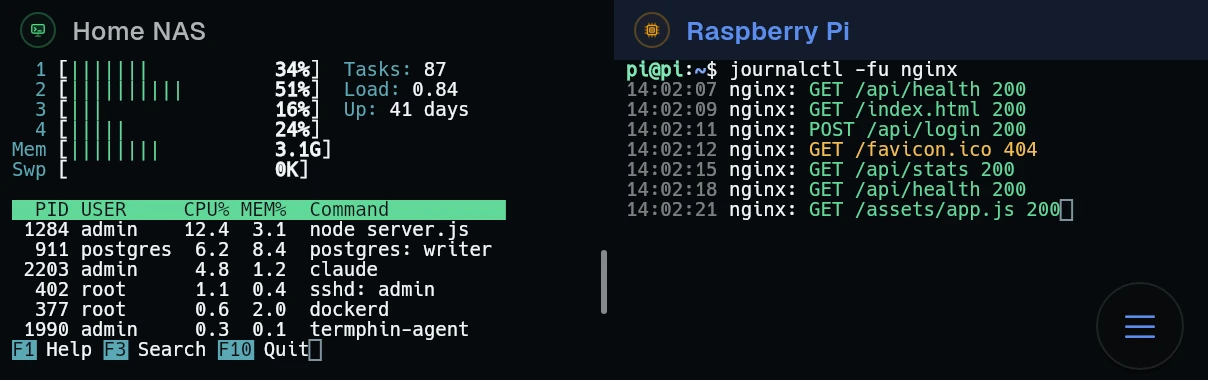

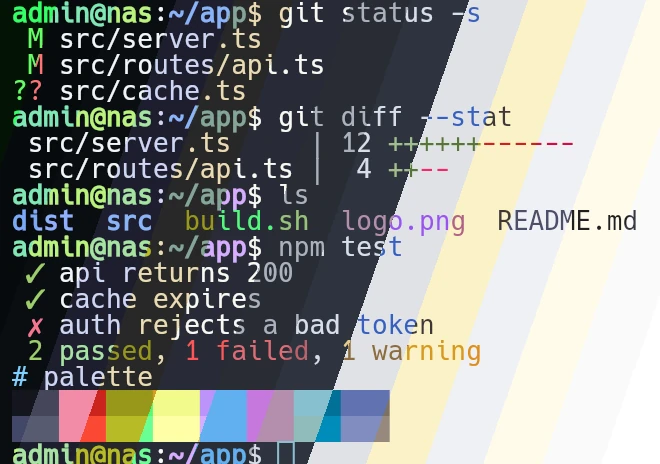
Drawn directly by Flutter, not in a web view. htop, vim, and TUIs render without broken box characters.
Keys and passwords are sealed with AES-256-GCM, under a key your phone’s secure hardware holds.
Even if you lock your phone or lose signal, your jobs keep running. A tiny open-source helper holds the remote shell open and reattaches instantly when you return.
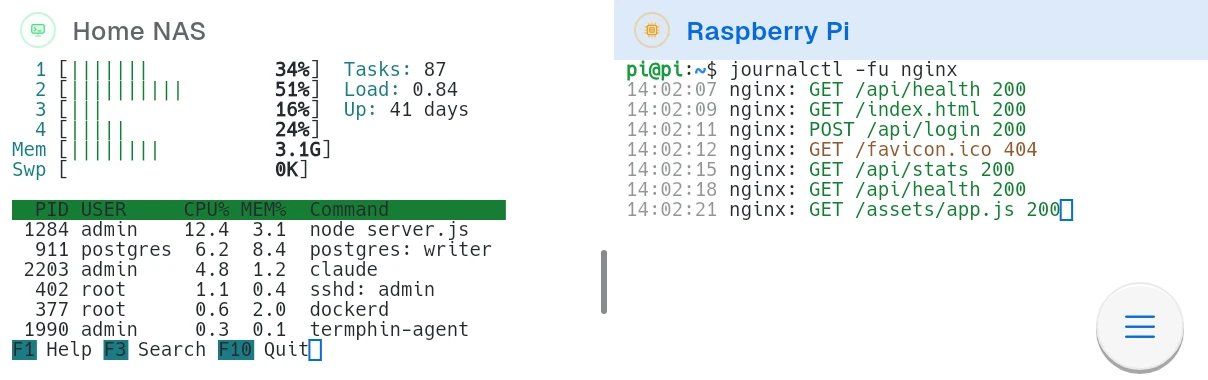
Two sessions side by side in one tab - htop on one machine, the logs on another. Drag the divider, swap the panes.
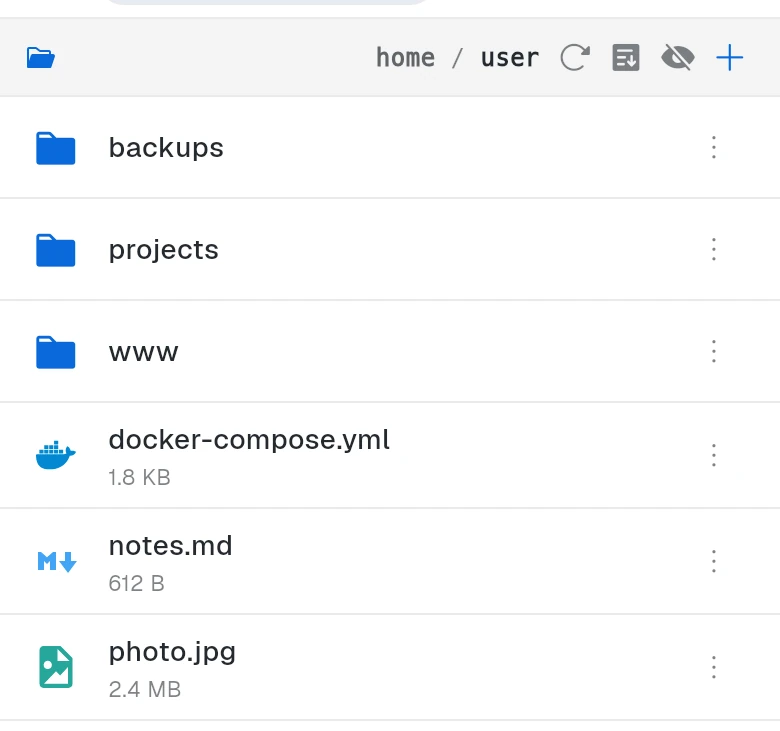
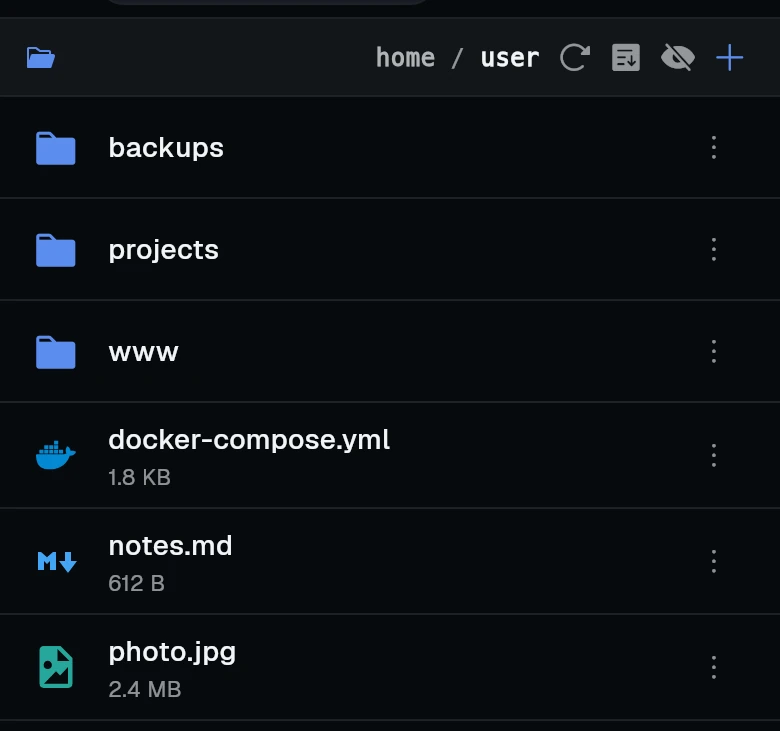
Browse, upload, download and rename over the same connection.

Commands and paths from your own history suggested as you type. Tap one to finish the line.
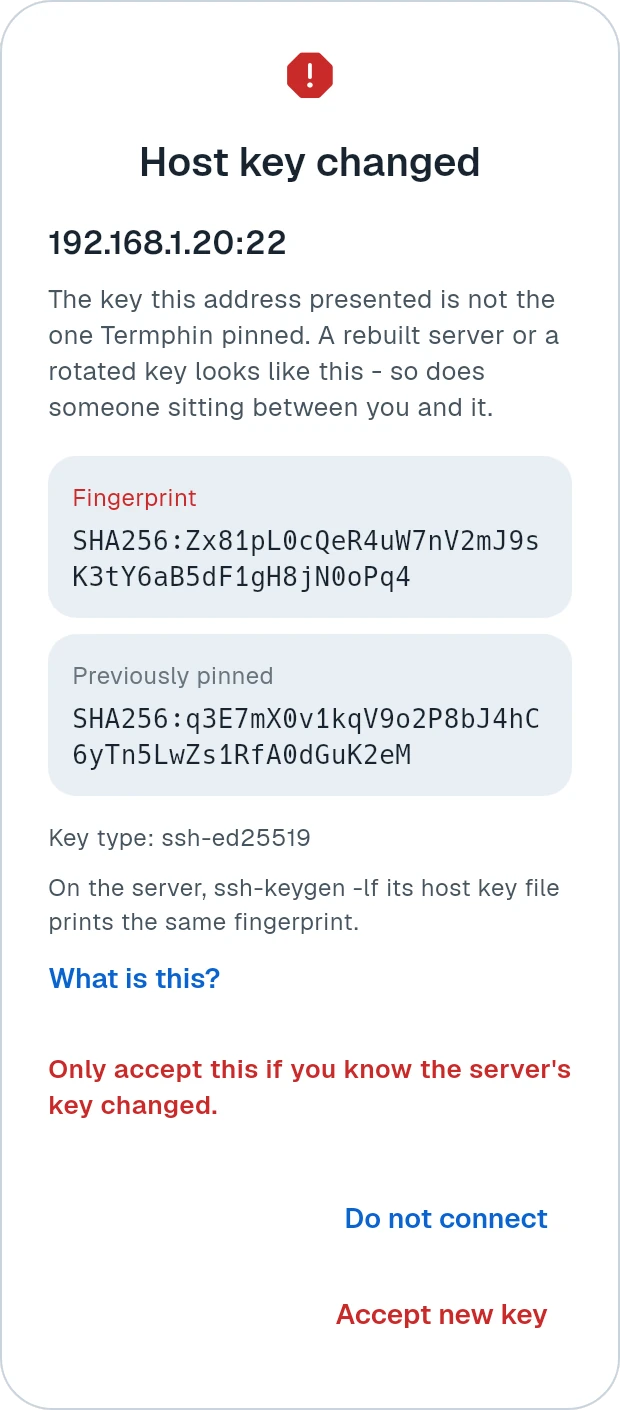
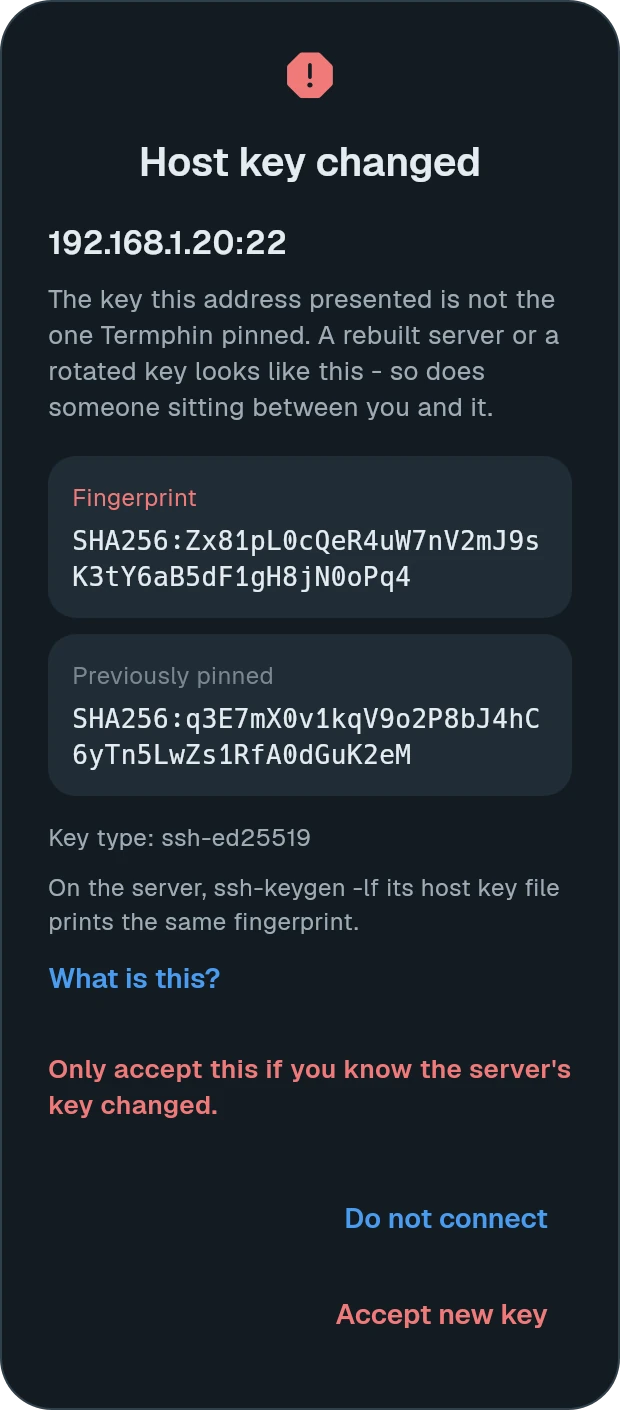
Every server’s key is checked on every connection. A changed key is stopped, not waved through.


Pick a file on your phone and it lands on the server, with its path pasted at the prompt.

Send a file to a server from wherever it is. Share it to Termphin, pick the machine and the folder, and you are back in the app you came from.
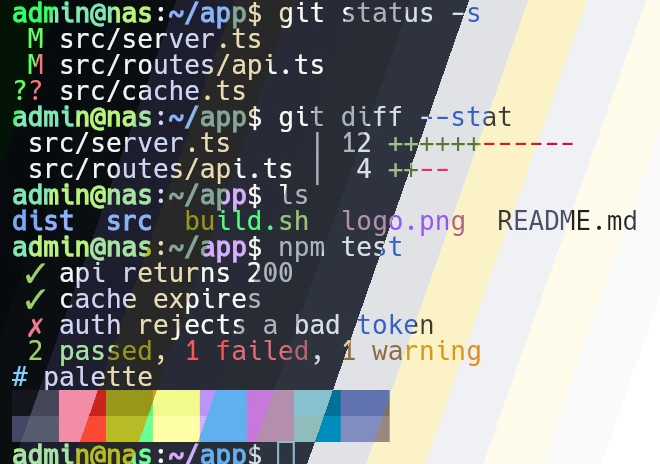
Dark and light themes for the terminal, with font, size, cursor and padding to match.
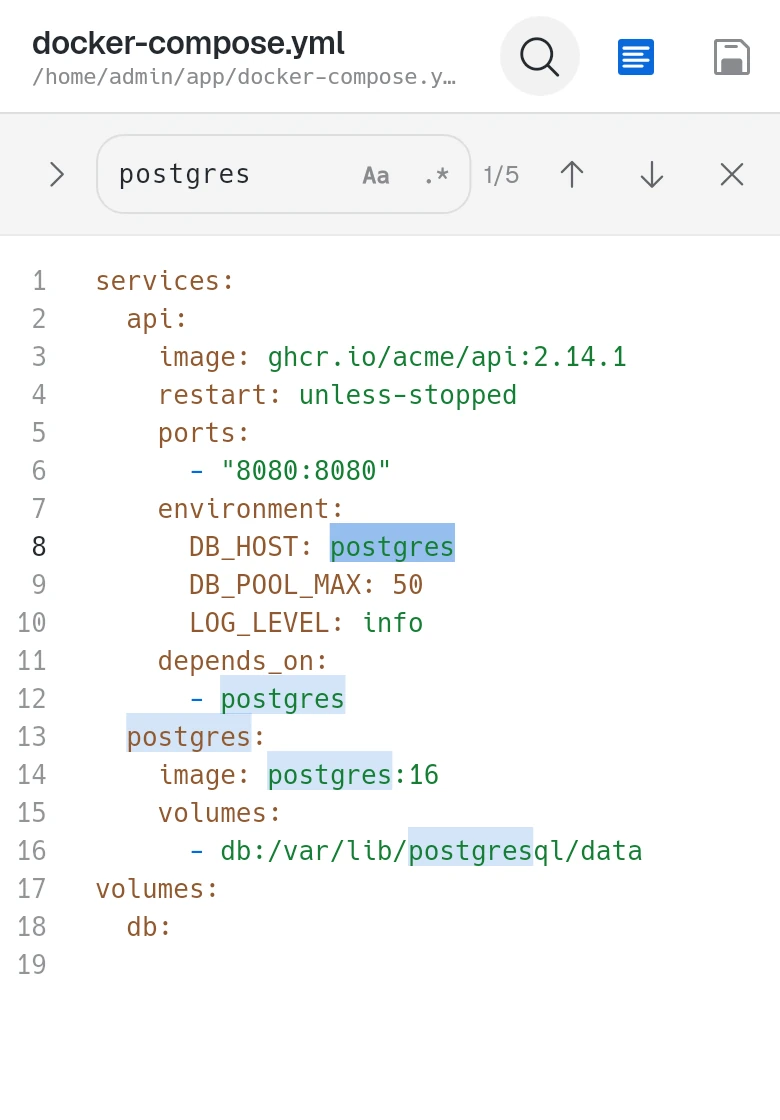
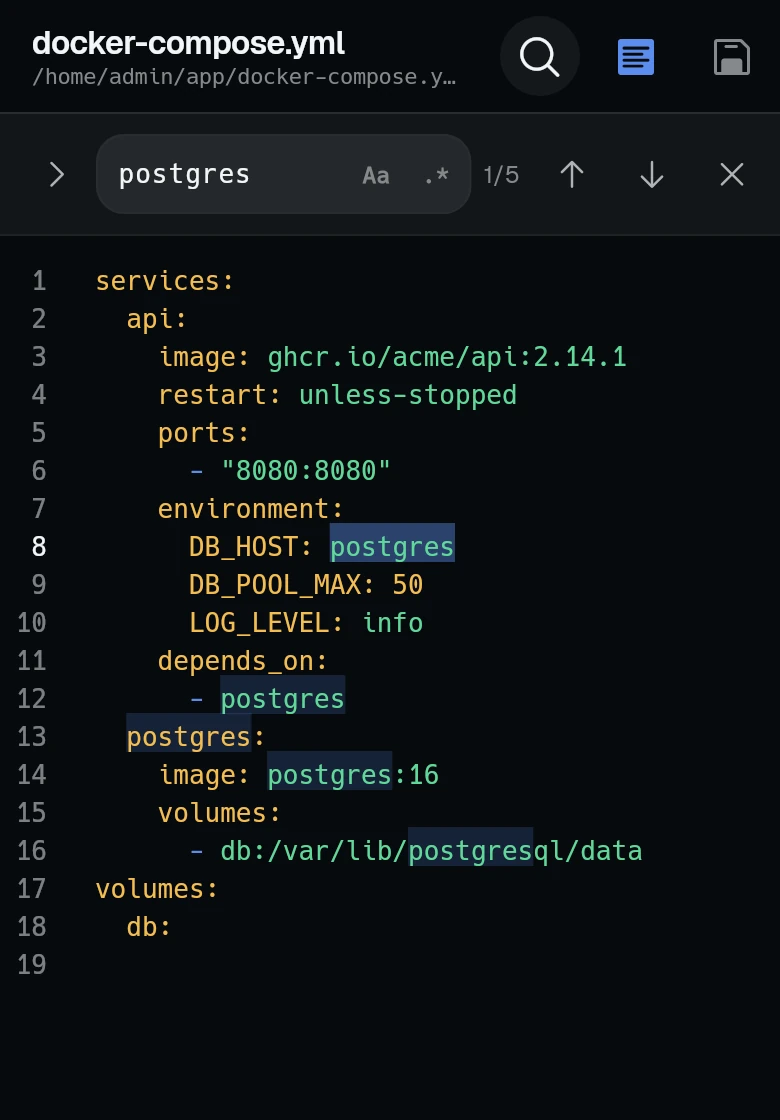
Syntax highlighting in your terminal colours, find and replace, pinch to zoom.
Local and remote port forwards, saved on a machine or opened for one session.
Save a command with arguments and run it on several machines at once.
Esc, Tab, Ctrl and arrows above the keyboard, in layouts you arrange.
A floating button for paste, snippets and fast upload.
Reach machines behind a bastion, the way ProxyJump does.
One machine, a LAN and a Tailscale address - whichever answers.
One-time codes and PAM prompts asked for in the app.
Retries until the network is back, and keeps what you type meanwhile.
On a slow link, what you type shows before the server answers.
A quiet warning when replies slow down or stop.
One set of coloured groups for machines, keys and snippets.
Export everything to one file, sealed with a passphrase.
Start a 10-minute Claude Code task and pocket your phone. The agent runs on your server and your session never aborts.
Spinners, progress bars, and diff views render cleanly without mangled characters.
Upload files from your phone and paste their remote server path straight into your prompt.
Long tasks keep running when your phone is locked or signal drops. Reattach anytime.
Termphin is free and open source under the GPL-3.0. Read the code, build it yourself, or open an issue.
A fast terminal, SFTP browser with editor, snippet runner, SSH key manager, port forwarding, ProxyJump bastion chains, and biometric lock. A lightweight server helper reattaches sessions after connection drops.
Termphin maintains the connection while backgrounded or locked. If the connection drops or you switch networks, a tiny open-source Rust agent on the server keeps the remote shell running and reattaches you seamlessly upon reconnect.
Keys and passwords are sealed with AES-256-GCM on your phone, under a key its secure hardware holds. An optional PIN or fingerprint lock guards the app on top. Connections go directly to your server with host key verification. Anonymous usage analytics are sent only if you opt in. See our privacy policy.
Yes, all of it. The app is on GitHub under the GPL-3.0 (Termphin/Termphin), along with the terminal renderer (terminal_view) and the server helper (termphin-agent).
Any server reachable over standard SSH (Linux, macOS, BSD, Windows). Shell detection is automatic, with no helper required for basic sessions.
Yes. Point any profile at a jump host to route connections like OpenSSH's ProxyJump. Traffic remains encrypted end-to-end between your phone and target server.
Yes. Interactive keyboard prompts for 2FA authenticator codes (TOTP) and PAM passwords are fully supported.
Yes. Claude Code, Codex, and OpenCode run seamlessly. Your tasks keep executing when the screen locks, and TUI diffs and progress bars render cleanly. Learn more about running AI agents.
Engineering notes from building Termphin: what broke, what was measured, and what it cost.
Termphin is now open source under the GPL. Why an SSH client should be, why that license, what it does not cover, and what it costs.
30 September 2026One search for everything, copy and move on the server, search in the terminal output, and session tabs within reach of your thumb.
28 September 2026Autocomplete in the terminal, an easier first run, find and replace in the editor, and a stronger lock screen.
Free and open source. On Android today, with iOS, Windows, macOS and Linux coming soon.